
loveyou88
Active member
MP4 | Video: h264, 1280x720 | Audio: AAC, 44.1 KHz, 2 Ch
Genre: eLearning | Language: English | Duration: 9 lectures (1h 40m) | Size: 1.56 GB
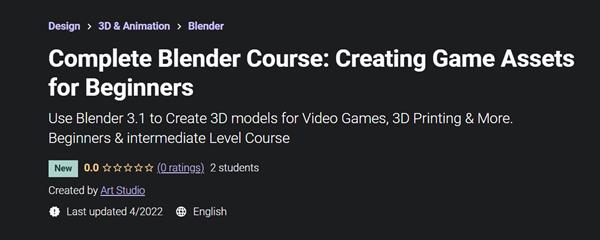
Use Blender 3.1 to Create 3D models for Video Games, 3D Printing & More. Beginners & intermediate Level Course
What you'll learn
Use Blender 3.0 and understand it's interface
Modeling tips and trick for making a low poly game assets
How to set up PBR materials
Lighting usding Easy HDRI
Learn UV maping and unwraping
Project file are included
Requirements
Download Blender 3.1
No Program experience needed, we will teach you from the basic
Description
Hello friends!
In this course I will teach you how to model low poly Bucket game assets inside the blender 3.1 which is new released version. This tutorial is around 2 hours and if you like be sure to check out our other courses.
Here in first step we will discuss about tools and techniques for modeling and in general how to use blender for creating your desired 3D model. You will learn Edit Mode and how it works in general.
In the second part you will learn how to use Modifiers to create the desired form of your model.
In next third section we go directly into the modeling, and we model our bucket and for a small part we will use some free add on called Loop-Tools to make our work nicer and faster and in here you will learn what is normal and what happen if normals flips on an object and how to fix the flipped normal in Blender
Then we will use bolt-Factory add-on which is free and we use some bolts and by snap we pot them on the bucket surface.
We will use shading and explain the right way of UV Unwrapping and how to texture your model using PBR material.
and finally you will learn how to us Easy-HDRI free add-on for lighting the bucket.
What Topics are Covered?
3D Modeling
You will learn about Modifiers, which are special modeling effects that you can use for complex modeling tasks.
We will create PBR Materials.
How to illuminate the scene using Easy-HDRI add-on (free).
Learn how to use snap.
Get introduced to Cycles
So I hope to see you in there.
Who this course is for
Beginner Blender user
Anyone interested in learning how to model game assets, or switching from another 3D software to Blender
Game Developers who wish to expand their Skill Set.
Homepage
Code:
https://www.udemy.com/course/complete-blender-course-creating-game-assets-for-beginners/Recommend Download Link Hight Speed | Please Say Thanks Keep Topic Live
Code:
https://hot4share.com/iokrd6ih5kfn/r32q3.C.B.C.C.G.A.f.B.rar.html
Uploadgig
https://uploadgig.com/file/download/45A9638e88ad302e/r32q3.C.B.C.C.G.A.f.B.rar
Rapidgator
https://rapidgator.net/file/f9a21c6828e27335b7fda2b830e4e7cc/r32q3.C.B.C.C.G.A.f.B.rar.html
NitroFlare
https://nitro.download/view/9A37AFB9D627436/r32q3.C.B.C.C.G.A.f.B.rar