
0nelove
Active member
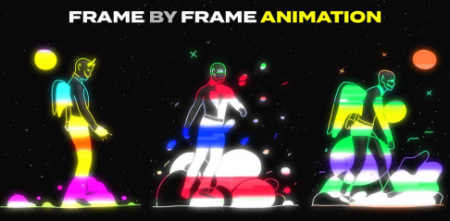
Frame by Frame Animation Using Photoshop, After Effects, Cinema4D
Instructors: Klarens Malluta
Duration: 56m • 14 Lessons
Video: MP4 1280x720 44 KHz | English
Level: Beginner | Size: 345.543 MB
On this class I will teach you how to create a frame by frame animation using Photoshop, After Effects, Cinema4D and a Graphic Tablet.
I will start by showing you some free resources that you can download and
how to use Mixamo to animate your 3D characters.
Then I will show you how to create your first animation in Cinema4D and use
it as a reference to draw all the frames in Photoshop, using a screen or graphic tablet.
After you export all the frames, we will move to After Effects to make our animation
more trippy and do some final adjustments.
In the end I will show you some alternative ways to create a frame by frame animation,
without using Cinema4D.
Screenshots
Code:
https://rapidgator.net/file/fcc2d5263dfa2d5d7ccc572051995c35/Qlj6LCR1_FramebyFram.rar.html

https://uploadgig.com/file/download/7dAa5f58982e2b0a/Qlj6LCR1_FramebyFram.rar