
0DAYDDL
Active member
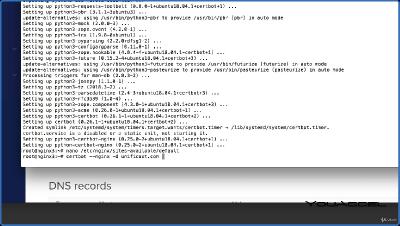
NGINX Apache SSL Encryption Certification Course
Language: English
Files Type: mkv| Size: 1.55 GB
Video: 03:36:05 | 1920X1080 | 1877 Kbps
Audio: A_AAC-2 | 62 Kbps | AAC
Genre:eLearning
Videos Files :
001 Deploying a Virtual Server on Digital Ocean.mkv (18.77 MB)
002 Creating and Attaching a Floating IP.mkv (19.36 MB)
003 Intro to Terminal and Root User Authentication.mkv (8.05 MB)
004 Apache Installation and Testing.mkv (8.12 MB)
005 Installing MySQL Database Management System.mkv (36.45 MB)
006 Installing and Testing PHP.mkv (100.06 MB)
007 Installing PhpMyAdmin for Database Administration.mkv (65.99 MB)
008 Introduction to Virtual Hosts.mkv (29.34 MB)
009 Directory Structure, Permissions and Test Files.mkv (8.44 MB)
010 Configuring Virtual Host Files and Directives.mkv (29.41 MB)
011 Name Server Configuration.mkv (22.48 MB)
012 DNS Zone File Configuration and Testing.mkv (27.6 MB)
013 Installing SSL for each Domain using Lets Encrypt.mkv (71.44 MB)
014 Summary and Next Steps.mkv (3.11 MB)
001 Apache vs NGINX.mkv (61.92 MB)
002 History of Apache.mkv (9.47 MB)
003 Advantages of NGINX.mkv (10.78 MB)
004 Deploying a Droplet on Digital Ocean.mkv (12.8 MB)
005 Attaching a Floating IP.mkv (3.53 MB)
006 Connecting to your Virtual Server.mkv (13.91 MB)
007 Install and Configure NGINX.mkv (26.59 MB)
008 Install and Configure MySQL on NGINX.mkv (111.04 MB)
009 Install and Configure PHP on NGINX.mkv (103.82 MB)
010 Creating a PHP Test File.mkv (13 MB)
011 Modifying Domain Name Servers.mkv (15.25 MB)
012 Configuring DNS Zone Files.mkv (17.84 MB)
013 Updating the NGINX Block File Configuration.mkv (21.56 MB)
014 Installing Lets Encrypt SSL on NGINX.mkv (116.97 MB)
015 Installing PhpMyAdmin.mkv (32.4 MB)
016 Securing PhpMyAdmin with Symbolic Links.mkv (23.54 MB)
017 Securing PhpMyAdmin with Authentication Gateways.mkv (17.98 MB)
018 Enabling Authentication Gateways.mkv (18.61 MB)
019 Introduction to WordPress.mkv (4 MB)
020 Creating a Database for Wordpress.mkv (21 MB)
021 Installing PHP Extensions for WordPress.mkv (17.14 MB)
022 NGINX Block Configuration for WordPress.mkv (22.93 MB)
023 Downloading WordPress.mkv (24.23 MB)
024 WordPress Configuration.mkv (26.02 MB)
025 WordPress Setup.mkv (14.43 MB)
001 Introduction to SSL Certificates.mkv (23.21 MB)
002 Traditional vs. Digital Certificate.mkv (20.92 MB)
003 Types of SSL Certificates.mkv (34.78 MB)
004 How SSL Certificates Work.mkv (33.87 MB)
005 Obtaining an SSL Certificate.mkv (7.72 MB)
006 Introduction to Lets Encrypt.mkv (8.94 MB)
007 Server Preparation.mkv (2.34 MB)
008 Domain Name Server Administration.mkv (11.97 MB)
009 Introduction to Digital Ocean.mkv (5.27 MB)
010 Droplet Configurations.mkv (3.88 MB)
011 Creating a Droplet.mkv (5.27 MB)
012 Install PuTTY Terminal and Connect.mkv (8.34 MB)
013 Install LAMP Stack Apache, MySQL, PHP.mkv (65.72 MB)
014 Configure DNS on Digital Ocean.mkv (15.1 MB)
015 Droplet Basic Configurations.mkv (23.5 MB)
016 Installing Lets Encrypt.mkv (32.81 MB)
017 SSL Certificate Status Reports.mkv (14.3 MB)
018 Redirect all Domain Variations to HTTPS.mkv (45.34 MB)
019 Auto Renewal with cron jobs.mkv (11.86 MB)
Code:
https://rapidgator.net/file/cb1d67ea35181ff8867ab92f8d342cd1/
https://rapidgator.net/file/8fe41cfe802c574b5c6b856e76dfab0e/
Code:
https://ddownload.com/jclfvrothpv4
https://ddownload.com/jsryv0iguhy6
Code:
https://nitroflare.com/view/4E1F83913D89215/
https://nitroflare.com/view/0FA348BC98F7C0F/