

Last updated 1/2022
MP4 | Video: h264, 1280x720 | Audio: AAC, 44.1 KHz
Language: English | Size: 1.71 GB | Duration: 2h 15m
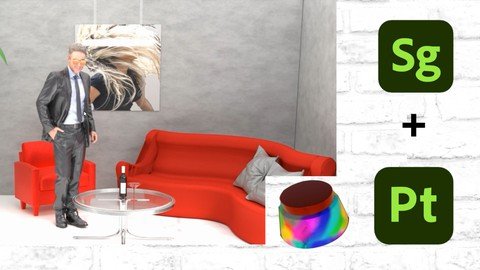
Knowing Stager & Painter in a couple of Hours!
What you'll learn
How To Use Adobe Stager - Get to Know the Interface Panel
How to Create a Scene with Adobe Stager
How to Export Files Like A Pro
How to Use Adobe Painter - Get to Know the Interface Panel
How to Mask and add layers to an Object
Requirements
Even If you don't know ANY of Adobe Applications - You will know how to Export a Great 3D Scene
Description
This course will talk about How to use Stager & Painter (the subjects are a general Idea - the course is divided to sections): 1. Getting to know the interface panel of Stager2. Creating a scene together From Scratch!3. How & Where to get 3D models and how to upload 3D Models4. How to remove the background after you rendered the scene from Stager5. Painter - Knowing the interface and what are the steps we need to make before painting6. How to paint, How to spray paint & using smart materials 7. How to mask the paint When dealing with 2 layers.A little bit about my Background - I have been designing with Adobe applications for the past years using Photoshop, Xd, Illustrator and even applications that do not exist anymore - I can tell you for sure that modeling with 3D is the future! I really hope you will enjoy the course. My motto is - Studying is not hard If you're having fun during! So during the whole course you will get a joke here & there - try to take everything with Fun Vibe and Leave a review so that other students will know what to expect.In General - This course gives you a great value about how to use the 3D application and if you have any questions or anything - simply write them to me and I will answer everything. Thank you all - Have a great week!
Overview
Section 1: Introduction
Lecture 1 Stager - Introduction
Section 2: Section 2 - Stager's Panel / Interface
Lecture 2 Introduction to Adobe's Interface
Lecture 3 Stager's Dashboard
Lecture 4 Ray Tracing & Camera
Lecture 5 The Scene Window
Lecture 6 Properties - Transform
Lecture 7 Properties - Collision
Lecture 8 Properties - Material
Section 3: Creating A Scene
Lecture 9 Formats Website, Creating a Room
Lecture 10 3D Object Download & Apply - Substance 3d
Lecture 11 Building a Scene
Lecture 12 Putting a Picture On the Wall
Lecture 13 Lights
Lecture 14 Adding A Virtual Character
Lecture 15 Floor & Finishing Touchs
Lecture 16 After rendering
Lecture 17 How to Export 3D Object
Lecture 18 Deleting Background with Stager
Section 4: Painter
Lecture 19 Painter - Introduction
Lecture 20 Formats & Defining New Project
Lecture 21 Materials & Application's Behavior
Lecture 22 Display settings & Brushes & 2D View
Lecture 23 Shortcuts
Lecture 24 Bake Mash Maps
Lecture 25 Properties - Texture List & Layers
Lecture 26 Changing the Smart Materials & Eye dropper Tool
Lecture 27 How To Import a Material OR Lights
Lecture 28 Let's Paint
Lecture 29 How to mask & Saying Goodbye
This course is for everyone - You will learn how to use the program from scratch
Homepage
Code:
https://www.udemy.com/course/stager_painter/Recommend Download Link Hight Speed | Please Say Thanks Keep Topic Live
DONWLOAD FROM RAPIDGATOR
https://rapidgator.net/file/59179e6....Working.With.Adobe.Stager..Painter.part2.rar.html
https://rapidgator.net/file/d7843ab....Working.With.Adobe.Stager..Painter.part1.rar.html
DONWLOAD FROM UPLOADGIG
https://uploadgig.com/file/download....Working.With.Adobe.Stager..Painter.part2.rar
https://uploadgig.com/file/download....Working.With.Adobe.Stager..Painter.part1.rar
DOWNLOAD FROM NITROFLARE
https://nitroflare.com/view/C8BB8E217A2EE7A/sonpz.Working.With.Adobe.Stager..Painter.part1.rar
https://nitroflare.com/view/F595E52AC849BB4/sonpz.Working.With.Adobe.Stager..Painter.part2.rar
Links are Interchangeable - No Password - Single Extraction