

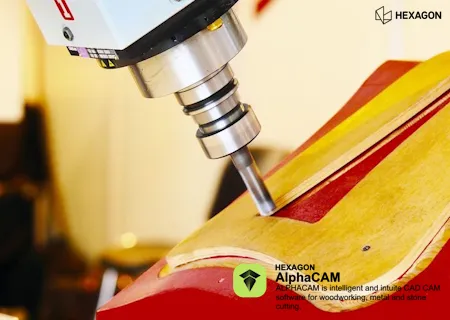
Free Download Hexagon Vero AlphaCAM 2025.4 | 3.5 Gb
Languages Supported: English, 中文, Čeština, Nederlands, Français, Deutsch, Italiano,
日本語, Polski, Português, Русский, Español, Türkçe
The Vero Software, a part of Hexagon has released AlphaCAM 2025.4 is the CAM software of choice for the routing and stone-cutting industries. This latest release brings significant advancements focused on improving the user experience, enhancing clarity, and expanding manufacturing possibilities.
ALPHACAM 2025.4 brings three impactful updates that make programming faster, smarter, and more precise. Whether you're importing CAD drawings, configuring fittings, or extracting 3D edges, these enhancements are built to simplify your work and increase efficiency in your CNC CAM software workflow.
ALPHACAM 2025.4 might seem like a small update, but these three features deliver major gains in speed, precision, and automation. If you're not already taking advantage of them, this is the perfect time to dive in.
What's New in ALPHACAM 2025.4: Three Powerful Features That Save Time and Boost Precision
1. Save Time with the New "Minimum Length" Parameter in Cut Path
Best for: Users importing CAD files or performing multi-operation machining
Code:
https://www.youtube.com/embed/B-xzC9sy5ekWhen to Use It - You're doing multi-operation relief cutting, and want to clean up leftover corners with a second operation.
- You're importing CAD geometry made up of short lines instead of arcs-often the case with third-party drawings.
How to Use It
- Go to Take Account of Previous Machining under Cut Path.
- Find the new Minimum Length parameter.
- Enter a value (e.g. 2mm). All toolpaths shorter than this value will be ignored.
- Turn on rapids to preview how tool movement is reduced.
- Watch your toolpath clean up instantly-keeping only meaningful cuts and saving significant time.
Before vs After
Undo and redo your changes to see just how much cleaner your toolpath becomes. No more wasted motion, and only the corners you actually want get machined.
2. Automate Fitting Assignments with Parametric Sketcher + Automation Manager
Best for: Shops using Automation Manager to drive part creation with CSV files
Code:
https://www.youtube.com/embed/geKm-fJodIYWhat's Improved - Full fitting type assignment support in Automation Manager
- Memory of fitting placements-no need to reassign in future jobs
- Improved parametric file compatibility
How to Use It
- Load your parametric sketch (e.g. a door blank).
- Click a DATM geometry without an assigned fitting.
- Choose the correct fitting type from your library.
- Select the fitting to use and confirm placement.
- The software remembers your selection-next time you open this sketch, it will auto-assign the fitting.
This enhancement streamlines your workflow and removes repetitive steps in automation setups.
3. More Intuitive 3D Edge Extraction
Best for: Users working with 3D machining and geometry extraction
Code:
https://www.youtube.com/embed/r2n-qsbHbX0What's New - Hover previews now show dotted edges that turn solid when selected
- A blue ball marks the starting point
- Undo any step with a click
- Hold Shift to select an entire tangential run
- Change a previously selected path with a single click
How It Helps
These UI improvements reduce frustration when selecting complex 3D edges. You can now make faster adjustments and trust the software to show you exactly what's selected, at every step.
ALPHACAM is intelligent and intuitive CAD / CAM Software for Woodworking, Metal & Stone Cutting. The emphasis behind ALPHACAM is to provide customers with productivity, reliability and flexibility. This can be found in all our modules which include Routing, Milling, Turning with 2-Axis to 5-Axis Machining.
What's new in ALPHACAM 2025.4
Code:
https://www.youtube.com/embed/geKm-fJodIYOwner: Hexagon
Product Name: AlphaCAM
Version 2025.4.0 (103)
Supported Architectures: x64
Website Home Page :
Code:
http://www.alphacam.comSystem Requirements Windows *
Size: 3.5 Gb
System Requirement
Hexagon Vero AlphaCAM 2025.4

Recommend Download Link Hight Speed | Please Say Thanks Keep Topic Live
Rapidgator-->Click Link PeepLink Below Here Contains Rapidgator
http://peeplink.in/a4eb89302ce1
DDownload
w0iv0.Hexagon-Vero-AlphaCAM-2025-4.rar
FreeDL
w0iv0.Hexagon-Vero-AlphaCAM-2025-4.rar.html
Links are Interchangeable - No Password - Single Extraction