

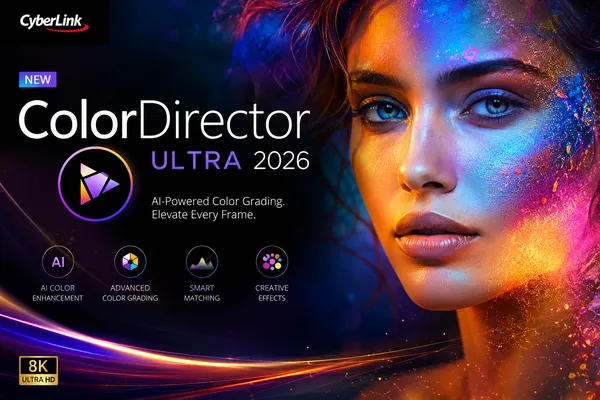
Free Download CyberLink ColorDirector Ultra 2026 v14.7.6720.0 (x64) Multilingual | 256 MB
CyberLink ColorDirector Ultra 2026 is a professional video color grading application designed to enhance the visual quality of video productions with advanced color correction and cinematic effects. It provides creators with precise tools for adjusting lighting, balancing colors, and refining every frame to achieve consistent, high-quality results.
Whether you're editing travel videos, documentaries, promotional content, or short films, the software helps streamline the color grading process with intuitive controls and motion-aware editing tools. It integrates advanced visual effects and customizable adjustments that allow editors to create polished productions while maintaining creative flexibility.
Software Overview
CyberLink ColorDirector Ultra combines professional color grading capabilities with practical editing tools for enhancing both standard and 360-degree video footage. Users can manipulate exposure, lighting, and color balance while applying cinematic effects such as light rays, lens flares, and light leaks to improve the overall appearance of their projects.
The software also includes intelligent selection tools, motion tracking, LUT support, keyframe animation, and automatic color matching to simplify complex editing tasks. These features allow creators to maintain visual consistency across multiple clips while providing detailed control over every aspect of the grading workflow.
Key Features
- Enhance footage with cinematic color grading tools.
- Add realistic light rays, lens flares, and light leak effects.
- Create animated sparkle effects around detected light sources.
- Adjust highlights, mid-tones, and shadows using Split Tone controls.
- Automatically match colors between reference and target videos.
- Import and export custom Look-up Tables (LUTs).
- Use motion tracking for precise object-based adjustments.
- Create virtual green screen compositions by isolating video subjects.
- Apply multiple color corrections with masks and keyframes.
- Remap colors using a full-spectrum color wheel.
- Evaluate exposure using Waveform Scope.
- Analyze RGB balance with Parade Mode.
- Edit and color grade 360-degree video projects.
CyberLink ColorDirector Ultra is well suited for content creators, filmmakers, and video editors who require dedicated color correction and visual enhancement tools. Its combination of cinematic effects, professional grading controls, and motion-aware editing makes it suitable for projects ranging from social media videos to commercial productions.
The software helps maintain consistent color across multiple clips while offering flexible creative controls for lighting, tonal adjustments, and stylistic effects without complicating the editing workflow.
System Requirements
- Operating System: Microsoft Windows 11, 10, 8/8.1, 7 (64 bit OS only)
- Processor (CPU): Intel Core™ i-series or AMD Phenom® II
- Graphics Processor (GPU): 128 MB VGA VRAM (1 GB or higher VRAM and OpenCL capable are recommended)
- Memory: 4 GB required (8 GB or above recommended)
- Hard Disk Space: 2 GB required
- Screen Resolution: 1024 x 768, 16-bit color or above
- Language Support:
English
French
German
Italian
Spanish (European)
Chinese Simplified
Chinese Traditional
Japanese
Korean
What is CyberLink ColorDirector Ultra primarily used for?
It is designed for professional color correction, color grading, lighting enhancement, and cinematic visual effects for video projects.
Does the software support LUT workflows?
Yes. It supports importing and exporting Look-up Tables (LUTs) for consistent color grading across different projects.
Can individual moving objects be edited separately?
Yes. Motion tracking allows color adjustments and effects to follow selected moving subjects throughout a clip.
Does it support 360-degree video editing?
Yes. The application can import, preview, and color grade 360-degree video footage.
Home Page
Code:
http://www.cyberlink.com/- Software Name: CyberLink ColorDirector Ultra
- Year of release: 2026
- Version: v14.7.6720.0
- Architecture: x64
- Languages: Multilingual
- License type: Full Version
- File Size: 256 MB
Recommend Download Link Hight Speed | Please Say Thanks Keep Topic Live
Rapidgator
99kle.CyberLink.ColorDirector.Ultra.2026.v14.7.6720.0.rar.html
UploadCloud
99kle.CyberLink.ColorDirector.Ultra.2026.v14.7.6720.0.rar.html
DDownload
99kle.CyberLink.ColorDirector.Ultra.2026.v14.7.6720.0.rar
FreeDL
99kle.CyberLink.ColorDirector.Ultra.2026.v14.7.6720.0.rar.html
Links are Interchangeable - No Password - Single Extraction