

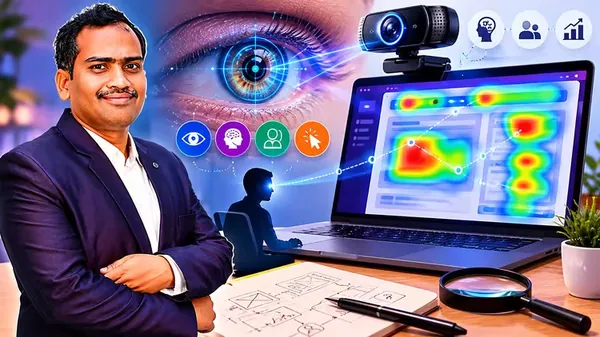
Human-Computer Interaction(HCI) UX Design & Eye-Tracking
Published 5/2026
MP4 | Video: h264, 1920x1080 | Audio: AAC, 44.1 KHz, 2 Ch
Language: English | Duration: 9h 16m | Size: 12.04 GB
Master Human-Computer Interaction, UX Design, Eye Tracking, and Usability Testing with Practical Projects
What you'll learn
Understand the fundamentals of Human-Computer Interaction (HCI) and apply user-centered design principles to create effective and user-friendly interfaces
Perform user research, task analysis, and information architecture design using techniques such as personas, scenarios, affinity diagrams, HTA, sitemaps, and ca
Design wireframes and interactive prototypes using industry-standard tools like Figma and apply usability principles, Norman's principles, and Nielsen's heurist
Conduct usability testing and heuristic evaluation by analyzing qualitative and quantitative data, identifying usability issues, and preparing usability reports
Requirements
beginners, students, and aspiring UI/UX or HCI researchers
Description
Human-Computer Interaction (HCI) is one of the most important fields in modern software and UX design, focusing on how humans interact with digital systems effectively, efficiently, and intuitively.
This course provides a complete introduction toHCI, UX Design, Usability Evaluation, Prototyping, Accessibility, and Eye-Tracking Research using practical examples, real-world case studies, and research-oriented projects.
The course also introducesEye Tracking in HCI, including
- Tobii eye tracker overview
- Eye-tracking metrics
- Gaze analytics
- Cognitive load detection
- Attention prediction
- Real-world HCI research projects using public datasets
You will learn how to
- Design user-centered interfaces
- Create personas, user scenarios, and information architecture
- Build wireframes and prototypes using Figma
- Apply usability principles and Nielsen's heuristics
- Conduct usability testing and heuristic evaluation
- Analyze user attention using eye tracking
- Understand gaze behavior, heatmaps, scanpaths, and cognitive load
- Explore AI-driven adaptive interfaces and multimodal interaction analysis
This course is ideal for
- Engineering and Computer Science students
- UI/UX beginners
- HCI researchers
- Developers interested in usability and UX
- Students working on research projects and publications
You will learn how to
- Design user-centered interfaces
- Create personas, user scenarios, and information architecture
- Build wireframes and prototypes using Figma
- Apply usability principles and Nielsen's heuristics
- Conduct usability testing and heuristic evaluation
- Analyze user attention using eye tracking
- Understand gaze behavior, heatmaps, scanpaths, and cognitive load
- Explore AI-driven adaptive interfaces and multimodal interaction analysis
By the end of this course, you will have a strong foundation in Human-Computer Interaction along with practical UX and eye-tracking research skills that are valuable for both academia and industry.
Who this course is for
Engineering and Computer Science students Beginners in UI/UX and Human-Computer Interaction (HCI) Students working on HCI projects and research papers Developers interested in improving usability and user experience Researchers exploring eye tracking, usability testing, and accessibility Anyone interested in designing user-friendly and accessible digital systems
Recommend Download Link Hight Speed | Please Say Thanks Keep Topic Live
Rapidgator
xcsxs.HumanComputer.InteractionHCI.UX.Design..EyeTracking.part01.rar.html
xcsxs.HumanComputer.InteractionHCI.UX.Design..EyeTracking.part02.rar.html
xcsxs.HumanComputer.InteractionHCI.UX.Design..EyeTracking.part03.rar.html
xcsxs.HumanComputer.InteractionHCI.UX.Design..EyeTracking.part04.rar.html
xcsxs.HumanComputer.InteractionHCI.UX.Design..EyeTracking.part05.rar.html
xcsxs.HumanComputer.InteractionHCI.UX.Design..EyeTracking.part06.rar.html
xcsxs.HumanComputer.InteractionHCI.UX.Design..EyeTracking.part07.rar.html
xcsxs.HumanComputer.InteractionHCI.UX.Design..EyeTracking.part08.rar.html
xcsxs.HumanComputer.InteractionHCI.UX.Design..EyeTracking.part09.rar.html
xcsxs.HumanComputer.InteractionHCI.UX.Design..EyeTracking.part10.rar.html
xcsxs.HumanComputer.InteractionHCI.UX.Design..EyeTracking.part11.rar.html
xcsxs.HumanComputer.InteractionHCI.UX.Design..EyeTracking.part12.rar.html
xcsxs.HumanComputer.InteractionHCI.UX.Design..EyeTracking.part13.rar.html
AlfaFile
xcsxs.HumanComputer.InteractionHCI.UX.Design..EyeTracking.part01.rar
xcsxs.HumanComputer.InteractionHCI.UX.Design..EyeTracking.part02.rar
xcsxs.HumanComputer.InteractionHCI.UX.Design..EyeTracking.part03.rar
xcsxs.HumanComputer.InteractionHCI.UX.Design..EyeTracking.part04.rar
xcsxs.HumanComputer.InteractionHCI.UX.Design..EyeTracking.part05.rar
xcsxs.HumanComputer.InteractionHCI.UX.Design..EyeTracking.part06.rar
xcsxs.HumanComputer.InteractionHCI.UX.Design..EyeTracking.part07.rar
xcsxs.HumanComputer.InteractionHCI.UX.Design..EyeTracking.part08.rar
xcsxs.HumanComputer.InteractionHCI.UX.Design..EyeTracking.part09.rar
xcsxs.HumanComputer.InteractionHCI.UX.Design..EyeTracking.part10.rar
xcsxs.HumanComputer.InteractionHCI.UX.Design..EyeTracking.part11.rar
xcsxs.HumanComputer.InteractionHCI.UX.Design..EyeTracking.part12.rar
xcsxs.HumanComputer.InteractionHCI.UX.Design..EyeTracking.part13.rar
No Password - Links are Interchangeable