

MP4 | Video: h264, 1280x720 | Audio: AAC, 44.1 KHz
Language: English | Size: 1.31 GB | Duration: 2h 53m
Learn how to use Karamba, a parametric structural engineering plugin for Grasshopper.
What you'll learn
Description
About
We will start by going briefly over the installation process and the different licenses that exist. For this course, the free version is sufficient, which you can download here. We will then go over the six basic steps needed to setup a Karamba Statical Model. This minimal setup is always required and you can use this base definition in all your future uses of Karamba.
Next, we will create our first load case scenario using two simple beams and a point load. We will go over the different components of Karamba, their inputs and outputs, and what they all mean.
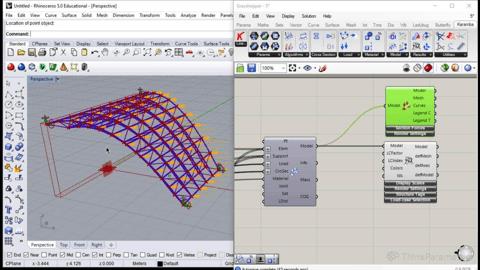
In the second part of the course, we will create a simple canopy we will use for our structural analysis. The canopy consists of a spaceframe and a cover we can control parametrically. When we've specified the supports, materials and load cases, we will perform a structural analysis on the structure. We will take a critical look at the results, like maximum displacement, resulting force of gravity, and internal elastic energy. We will also visualize the results to get a better understanding of how our structure behaves under our loads.
The last part will consist of using Silvereye to optimize the structure. Silvereye works similar to Galapagos and is pretty straightforward to use. We'll use the results from the previous lesson - maximum displacement, and internal elastic energy - as our fitness values to optimize.
Overview
Lecture 1 Introduction to the course and installing Karamba
Lecture 2 Explaining the six basic steps needed to create a Karamba Statical Model
Lecture 3 Creating our first simple load case scenario
Lecture 4 Setting up the geometry for our 2nd exercise: A simple canopy
Lecture 5 Creating a simple spaceframe from our canopy
Lecture 6 Transforming our spaceframe into a Karamba Analysis Model
Lecture 7 Performing a structural analysis on our spaceframe
Lecture 8 Optimizing our spaceframe using the evolutionary solver Silvereye
Homepage
Code:
https://www.udemy.comhttps://thinkparametric.com/courses/karamba-101-introduction-to-parametric-engineeringRecommend Download Link Hight Speed | Please Say Thanks Keep Topic Live
DONWLOAD FROM RAPIDGATOR
https://rapidgator.net/file/0d122a2...roduction.To.Parametric.Engineering.part1.rar.html
https://rapidgator.net/file/dc4ab28...roduction.To.Parametric.Engineering.part2.rar.html
DONWLOAD FROM UPLOADGIG
https://uploadgig.com/file/download...roduction.To.Parametric.Engineering.part1.rar
https://uploadgig.com/file/download...roduction.To.Parametric.Engineering.part2.rar
DOWNLOAD FROM NITROFLARE
https://nitroflare.com/view/9D00573...roduction.To.Parametric.Engineering.part1.rar
https://nitroflare.com/view/F4E8AEF...roduction.To.Parametric.Engineering.part2.rar
Links are Interchangeable - No Password - Single Extraction