

Free Download Siemens NX 2506 Build 7002 (NX 2506 Series) | 19.6 Gb
Languages Supported: English, 中文, Čeština, Español, Français, Deutsch,
Italiano, 日本語, 한국어, Polski, Português, Русский
Siemens Digital Industries Software has released NX 2506.7002 (NX 2506 Series). Built around industry-specific workflows, Siemens NX software is the "engine" behind the digital twin - delivering powerful, flexible tools to drive innovation from concept to manufacturing.
Owner:Siemens Digital Industries Software
Product Name:NX Series
Version:2506.7002 (NX 2506 Series)
Supported Architectures:x64
Website Home Page :www.plm.automation.siemens.com
Languages Supported:multilanguage
System Requirements:Windows *
Size:19.6 Gb
The June 2025 release introduces a wide range of outstanding new features designed to boost productivity and optimize your workflows. Highlights include upgrades in Sketch creation, Design in Context, and Advanced Shape Design, along with overall improvements to the user interface.
What's new in NX 2506.7002 (NX 2506 Series)
Cableway Topology Management
Applying, replacing, and removing cableway patterns
This iteration enhances the Cableway Pattern command by letting you apply, replace, or remove patterns on one or more specific Electrical Topology Path (ETP) segments within an ETP component. Previously, you could only select an entire ETP component in to perform any pattern operations. With this enhancement, you can select at both the component and segment levels.
- The Cableway Pattern dialog now supports pattern applications at the segment level rather than restricting it to only the ETP component.
- You can replace, apply, or remove patterns for one or more ETP segments in a single operation.
- When you select a subset of segments in an ETP component, the distribution happens irrespective of the type of operation (replace, apply, or remove) and it creates new ETP components.
- A specified pattern is applied to the selected segments, while the existing pattern is rebuilt for the non-selected adjacent segments.
- Allow Coexistence lets you simultaneously apply a cableway pattern and cableway space reservation to an ETP.
Jump Path creation in cableways
You can mark an ETP segment as a jump path using the Jump Path command. Currently, the Jump Path dialog box allows the selection of stock components only. It will be modified to allow the selection of segments as well. When a stock or ETP component is selected, its segments will be inserted into the selection. You can select the following types of segments:
- Bare segments
- Segments with stock or space reservations
- ETP segments
Automatic and manual cableway pattern realignment
Certain cableway operations performed on an ETP can cause its cableway patterns to become misaligned. To correct this, two customer defaults are provided to handle misaligned cableway patterns:
- Manually Revise Patterns
- When selected, misaligned patterns are not automatically rebuilt. In this case, you must manually perform the rebuild operation using the Realign Pattern command, which is provided as part of this project.
- Automatically Revise Patterns
- When enabled, misaligned cableway patterns are automatically rebuilt at the end of a cableway operation.
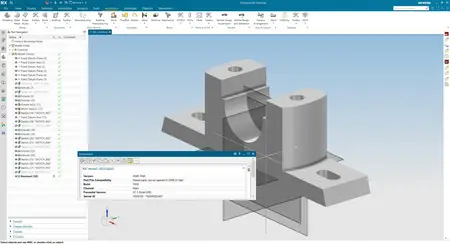
Siemens NXis a powerful software suite used for product design, engineering, and manufacturing. As technology evolves, various versions of Siemens NX, including the latest NX version, have been released, each with improved features and capabilities. Understanding the key versions of Siemens NX is crucial for professionals in design and engineering fields. The major releases typically include significant enhancements that improve usability and performance. Each NX version is designed to enhance user experience and streamline workflows, making it vital for professionals to stay updated on the latest features and improvements introduced in each NX version. Understanding the capabilities of each NX version allows users to fully leverage the software's potential in their design and engineering tasks. For those seeking to improve their understanding of the software, reviewing the unique characteristics of each NX version can be invaluable. This knowledge empowers users to select the most appropriate NX version for their specific projects and tasks.
Highlights in Siemens NX CAM 2506
Siemens Digital Industries Softwareis a global leader in the growing field of product lifecycle management (PLM), manufacturing operations management (MOM), and electronic design automation (EDA) software, hardware, and services.

What's new in NX 2506.7002 (NX 2506 Series)
Cableway Topology Management
Applying, replacing, and removing cableway patterns
This iteration enhances the Cableway Pattern command by letting you apply, replace, or remove patterns on one or more specific Electrical Topology Path (ETP) segments within an ETP component. Previously, you could only select an entire ETP component in to perform any pattern operations. With this enhancement, you can select at both the component and segment levels.
- The Cableway Pattern dialog now supports pattern applications at the segment level rather than restricting it to only the ETP component.
- You can replace, apply, or remove patterns for one or more ETP segments in a single operation.
- When you select a subset of segments in an ETP component, the distribution happens irrespective of the type of operation (replace, apply, or remove) and it creates new ETP components.
- A specified pattern is applied to the selected segments, while the existing pattern is rebuilt for the non-selected adjacent segments.
- Allow Coexistence lets you simultaneously apply a cableway pattern and cableway space reservation to an ETP.
Jump Path creation in cableways
You can mark an ETP segment as a jump path using the Jump Path command. Currently, the Jump Path dialog box allows the selection of stock components only. It will be modified to allow the selection of segments as well. When a stock or ETP component is selected, its segments will be inserted into the selection. You can select the following types of segments:
- Bare segments
- Segments with stock or space reservations
- ETP segments
Automatic and manual cableway pattern realignment
Certain cableway operations performed on an ETP can cause its cableway patterns to become misaligned. To correct this, two customer defaults are provided to handle misaligned cableway patterns:
- Manually Revise Patterns
- When selected, misaligned patterns are not automatically rebuilt. In this case, you must manually perform the rebuild operation using the Realign Pattern command, which is provided as part of this project.
- Automatically Revise Patterns
- When enabled, misaligned cableway patterns are automatically rebuilt at the end of a cableway operation.
Code:
http://peeplink.in/1bd3876f27bcSiemens NXis a powerful software suite used for product design, engineering, and manufacturing. As technology evolves, various versions of Siemens NX, including the latest NX version, have been released, each with improved features and capabilities. Understanding the key versions of Siemens NX is crucial for professionals in design and engineering fields. The major releases typically include significant enhancements that improve usability and performance. Each NX version is designed to enhance user experience and streamline workflows, making it vital for professionals to stay updated on the latest features and improvements introduced in each NX version. Understanding the capabilities of each NX version allows users to fully leverage the software's potential in their design and engineering tasks. For those seeking to improve their understanding of the software, reviewing the unique characteristics of each NX version can be invaluable. This knowledge empowers users to select the most appropriate NX version for their specific projects and tasks.
Highlights in Siemens NX CAM 2506
Siemens Digital Industries Softwareis a global leader in the growing field of product lifecycle management (PLM), manufacturing operations management (MOM), and electronic design automation (EDA) software, hardware, and services.
Recommend Download Link Hight Speed | Please Say Thanks Keep Topic Live
Rapidgator
SiemensNX2506Build7002NX2506Series.html
DDownload
ojrx5.Siemens-NX-2506-Build-7002-NX-2506-Series.part1.rar
ojrx5.Siemens-NX-2506-Build-7002-NX-2506-Series.part2.rar
ojrx5.Siemens-NX-2506-Build-7002-NX-2506-Series.part3.rar
ojrx5.Siemens-NX-2506-Build-7002-NX-2506-Series.part4.rar
ojrx5.Siemens-NX-2506-Build-7002-NX-2506-Series.part5.rar
ojrx5.Siemens-NX-2506-Build-7002-NX-2506-Series.part6.rar
ojrx5.Siemens-NX-2506-Build-7002-NX-2506-Series.part7.rar
FreeDL
ojrx5.Siemens-NX-2506-Build-7002-NX-2506-Series.part1.rar.html
ojrx5.Siemens-NX-2506-Build-7002-NX-2506-Series.part2.rar.html
ojrx5.Siemens-NX-2506-Build-7002-NX-2506-Series.part3.rar.html
ojrx5.Siemens-NX-2506-Build-7002-NX-2506-Series.part4.rar.html
ojrx5.Siemens-NX-2506-Build-7002-NX-2506-Series.part5.rar.html
ojrx5.Siemens-NX-2506-Build-7002-NX-2506-Series.part6.rar.html
ojrx5.Siemens-NX-2506-Build-7002-NX-2506-Series.part7.rar.html
Links are Interchangeable - No Password - Single Extraction